

I know the panic: it is almost birthday time and you need something that looks thoughtful without costing a small fortune. I put together a sharp shortlist of gifts that actually improve a gaming setup rather than clutter it, all under £40.
These picks save me time hunting and stop me from buying another novelty that will live in a drawer, and they should do the same for you.
Top Picks
|
Category |
Product |
Score |
|---|---|---|
|
🏆 Best Wireless Mouse |
93/100 |
|
|
💡 Best RGB Logo Light |
85/100 |
|
|
🎙 Best Budget Mic Kit |
88/100 |
|
|
🛡 Best Wrist Support |
82/100 |
|
|
🔌 Best Charging Stand |
78/100 |
|
|
🎧 Best Cheap Headset |
75/100 |
|
|
🎮 Best Novelty Phone Holder |
70/100 |
|
|
⭐ Best Themed Desk Lamp |
80/100 |
|
|
🚀 Best Portable Game |
92/100 |
|
|
🔰 Best Family Mario Game |
90/100 |
How I Picked These Gifts
I focused on things that actually make a setup better without asking for a mortgage. Practicality came first, so I prioritised items that are plug and play or require minimal faff and that work across common platforms. Value mattered just as much, so I chose products that deliver solid performance for the price rather than flashy but useless extras.
I also looked at comfort and longevity because a cheap upgrade that lasts matters more than a clever gimmick. Finally I considered who the gift suits, from the competitive player who needs precision to the kid who wants a bit of colourful personality in their room, so every pick has a clear reason to be under the tree.
🏆 Best Wireless Mouse
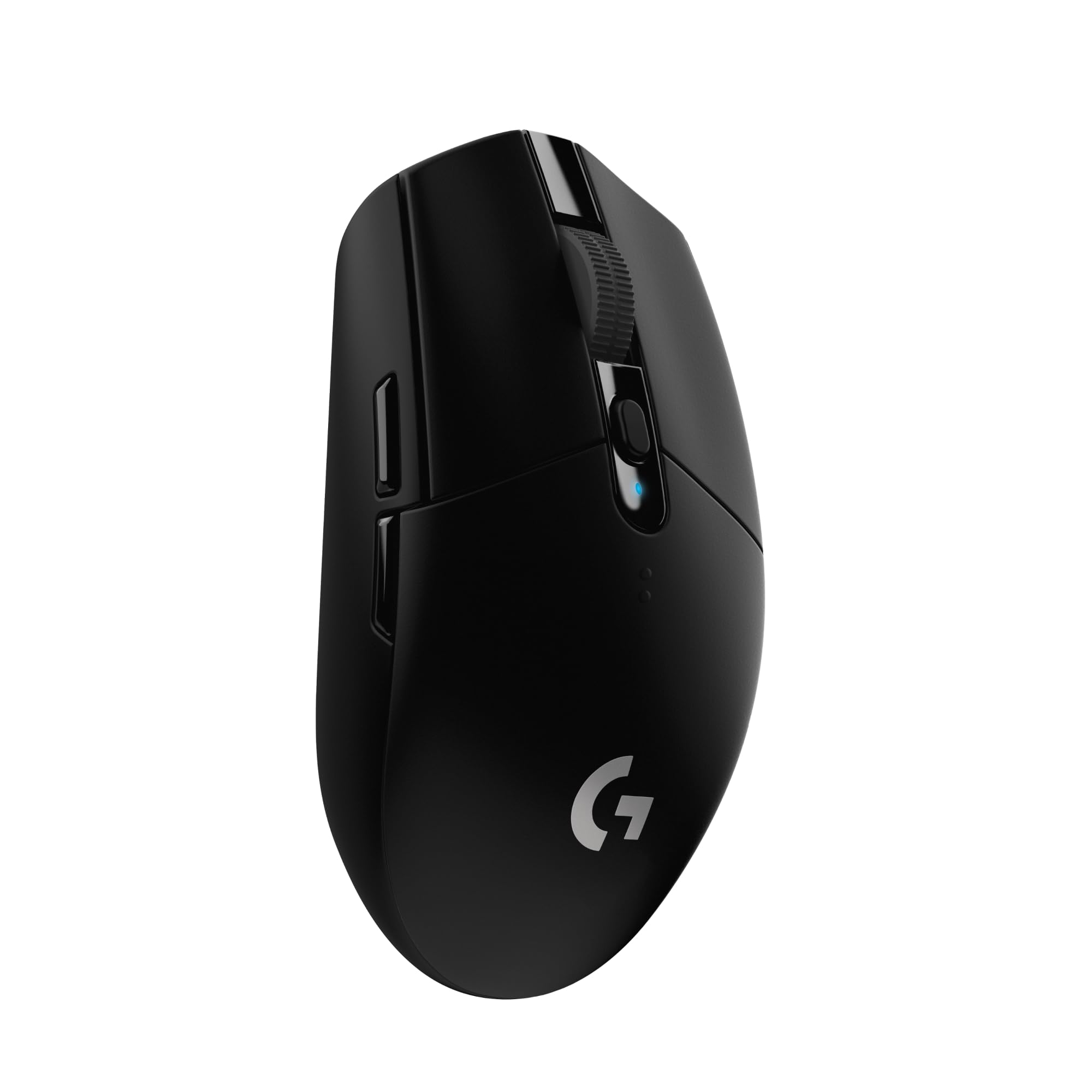
I reach for the G305 when I want wireless that behaves like wired. It uses Logitech’s LIGHTSPEED connection and a HERO sensor so clicks feel sharp and movement is precise, whether I’m fragging in a match or editing photos.
At around 99g it’s light enough for quick flicks but still feels solid in the hand; the AA battery gives proper longevity so you’re not faffing with charging mid-session. If you want a tidy upgrade that actually improves play without needing a spreadsheet of specs, this is one I’d recommend slipping into a stocking.
When It Helps
|
Situation |
How It Helps |
|---|---|
|
Competitive FPS Sessions |
The quick, reliable wireless and sharp sensor mean I can flick and track without feeling held back by a cable. |
|
Long Work Or Edit Days |
Comfortable shape and consistent tracking keep my hand from tiring during editing or web-surfing marathons. |
|
LANs And Trips |
No dongle drama and a battery that lasts make it easy to pack and use away from the desk. |
|
Starter Upgrade For New Gamers |
It gives proper performance improvements without overwhelming someone who’s just moving up from a basic mouse. |
Fun Factor
Subtle LED and the ‘wire-free but wired feel’ vibe make it satisfying to use without being gimmicky.
Key Benefits
- Responsive LIGHTSPEED wireless connection for near-zero lag
- Accurate HERO 12K sensor for precise tracking
- Lightweight 99g build for fast, comfortable movement
- Long battery life so sessions aren’t interrupted
- Ambidextrous shape that suits a range of grips
💡 Best RGB Logo Light
I keep one of these on standby for presents when I want something that actually adds personality to a setup. It plugs into USB, has a simple remote for colour and brightness changes, and can sit on a desk or be mounted on the wall.
It’s not trying to be a studio light, it’s a mood piece that makes a corner of a room feel a bit more ‘gamer’ and less anonymous. For a kid’s room, a streamer backdrop, or just to give a bland desk some character, it’s a straight‑forward, fuss-free upgrade I’m happy to recommend.
When To Use
|
Situation |
How It Helps |
|---|---|
|
Kids’ Bedrooms |
Provides a comforting, themed night light that doubles as room décor and makes bedtime feel less dull. |
|
Stream Backgrounds |
Adds a recognisable logo and soft colour pop behind you so your stream looks intentional without extra lighting gear. |
|
Small Desks Or Dorms |
USB power and small footprint mean it fits tidy setups and won’t hog sockets or desk space. |
|
Last-Minute Gift |
Looks thoughtful and chosen without needing a deep dive into tech specs, so it’s an easy present to grab. |
Fun Factor
The colour shifts and logo silhouette do that cosy, slightly smug thing where a boring shelf suddenly looks curated, and the remote control makes it oddly satisfying to cycle through colours.
Benefits
- Officially licensed design that actually looks the part
- Colour-changing LEDs with remote for easy mood control
- USB powered so no clumsy adapters to hunt for
- Wall mount or freestanding for flexible placement
- Compact and lightweight, easy to move between setups
🎙 Best Budget Mic Kit
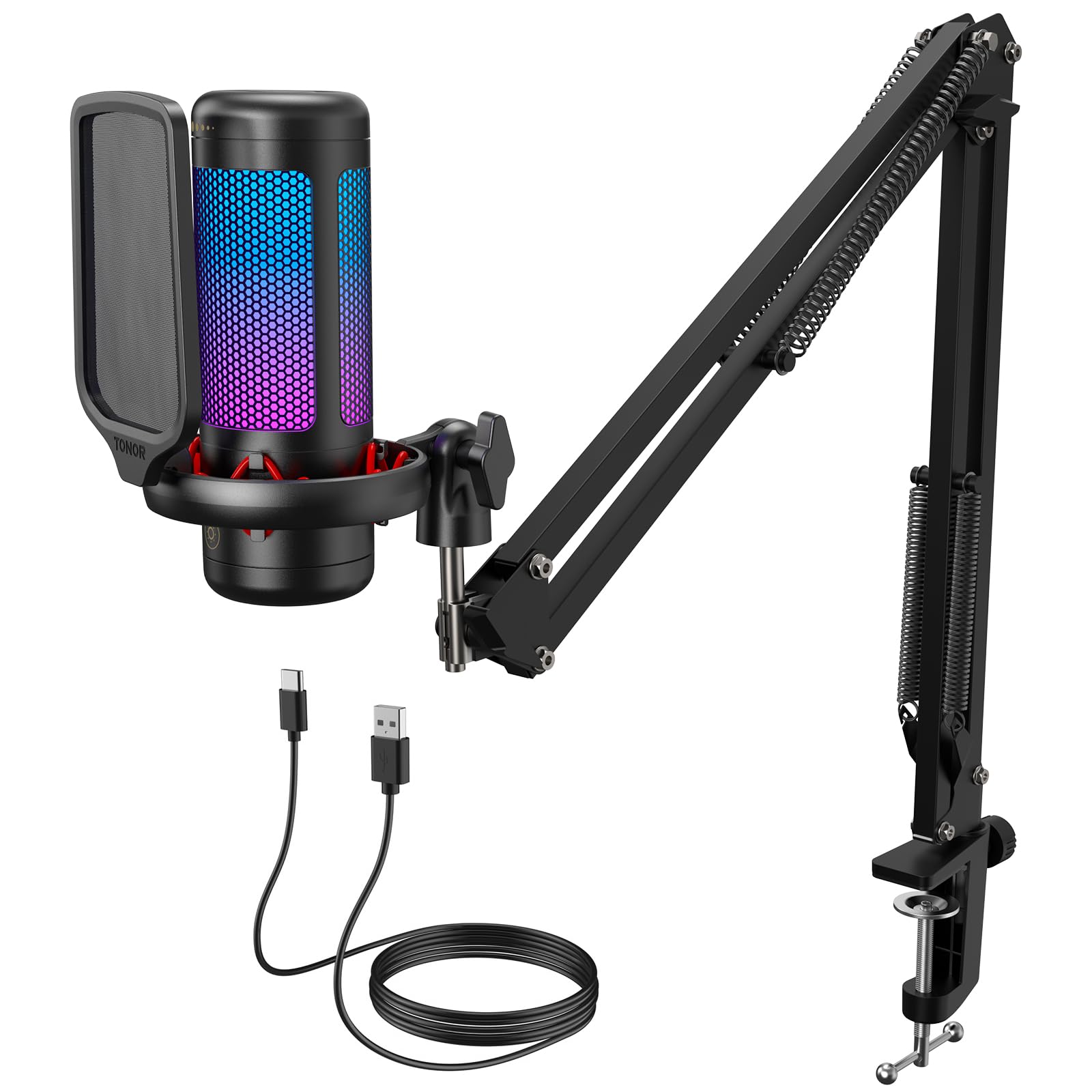
I reach for the TONOR when someone needs a step up from a headset mic without overcomplicating things. It arrives as a tidy kit with a boom arm, pop filter and simple controls, so setup is a matter of clamp, plug and go.
The sound is noticeably clearer than built‑in mics, which makes chats and streams feel less fuzzy, and the mute and volume controls save awkward moments mid-call. The RGB is a bit of theatre rather than necessity, but it does brighten a background if you stream. It’s the kind of practical upgrade I’d buy for a mate who wants better audio but hates fiddly installs.
When It Helps
|
Situation |
How It Helps |
|---|---|
|
Streaming And Twitch |
Cleaner voice capture and the boom arm keep the mic out of the camera while delivering clear chat audio for viewers. |
|
Group Voice Chats |
The unidirectional pickup reduces background noise so teammates actually hear what you’re saying, not your kettle. |
|
Home Podcasting Or Recording |
Pop filter and shockmount tidy up plosives and desk bumps, giving recordings a more professional feel without hiring a sound engineer. |
|
Shared Or Portable Setups |
Everything clamps to a desk and unhooks easily, so it’s simple to move between rooms or lend to a friend. |
Fun Factor
The RGB and solid boom arm make the whole setup feel intentionally pro, which is oddly satisfying and gives streams a proper backdrop vibe.
Perks
- Plug‑and‑play USB setup for minimal faff
- Boom arm and pop filter for cleaner, focused audio
- One‑tap mute and on‑device volume control for quick handling
- Included accessories save trips to buy stands or cables
- RGB lighting adds personality to a streaming backdrop
🛡 Best Wrist Support
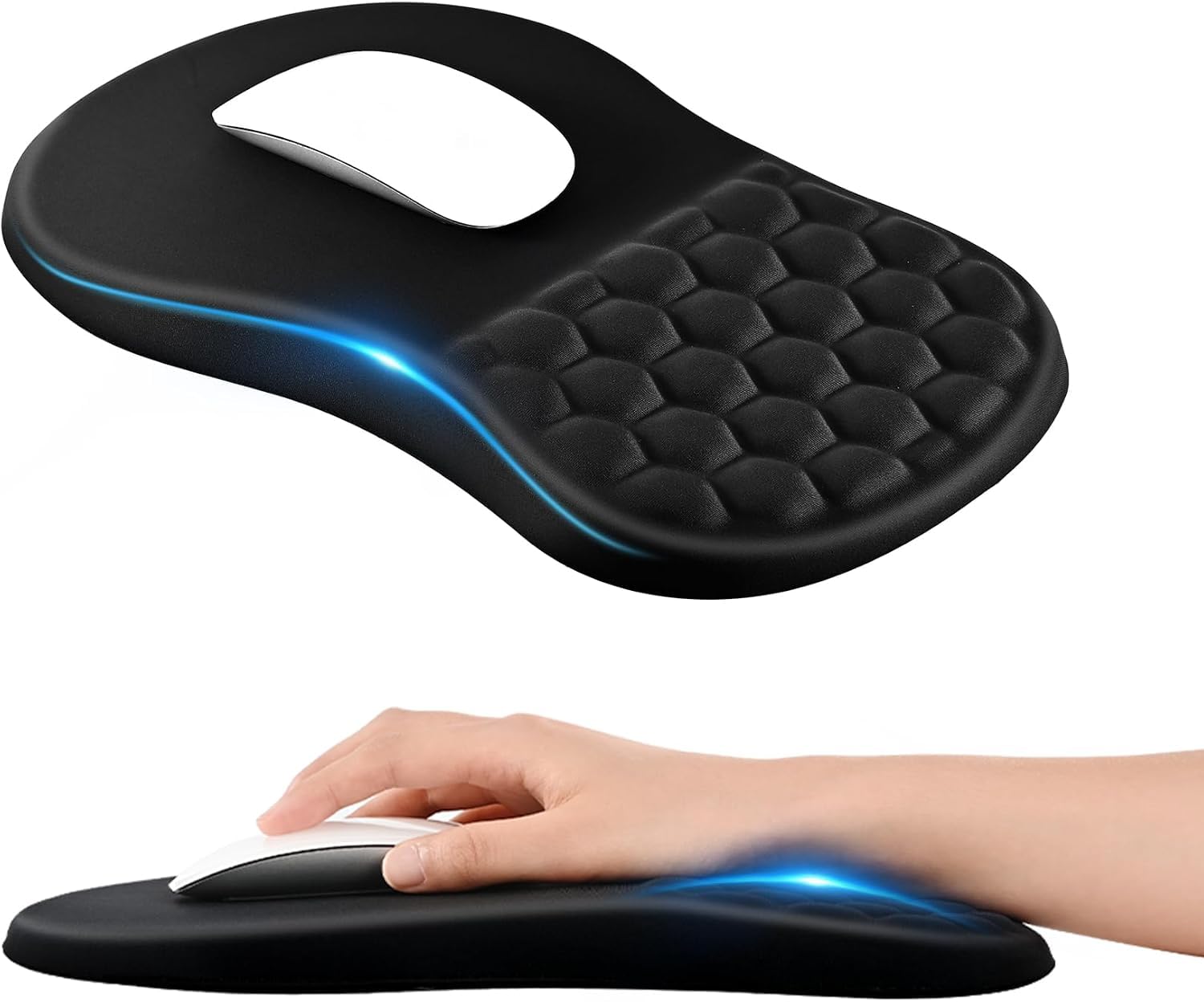
I keep one of these on any desk where someone spends hours with a mouse. It’s simply built — Lycra top, non‑slip base and a cushioned section that stops your wrist grinding on a cold edge. That softness doesn’t turn into a marshmallow; it’s firm enough to let the mouse glide while supporting your wrist in a more natural position. It’s handy for gamers who spend evenings grinding, for parents wanting to protect young hands, or for anyone who needs a small, effective comfort upgrade without redoing their whole setup.
When It Helps
|
Situation |
How It Helps |
|---|---|
|
Long Gaming Sessions |
Provides cushioning that prevents wrist ache so you can play longer without shifting position every ten minutes. |
|
Working From Home |
Offers a small ergonomic improvement that makes spreadsheets and scrolling less painful over a full day. |
|
Kids Learning To Use A PC |
Gives a supportive surface that helps smaller hands rest more comfortably while they get used to a mouse. |
|
Shared Family Computer |
Simple to move and clean, so it survives being passed between users without looking shabby. |
Fun Factor
Not flashy, but the relief it gives your wrist is pleasing in a quiet, practical way — a small upgrade that actually gets used.
Key Benefits
- Ergonomic wrist support that reduces pressure on the wrist bone
- Non‑slip base keeps the mat firmly in place during intense use
- Lycra surface provides smooth, consistent tracking
- Washable material makes it easy to tidy after heavy use
- Generous square size fits most mice and desk spaces
🔌 Best Charging Stand
I keep one of these where clutter tends to collect and it does a better job than I expected. It holds headphones, controllers and a phone, gives you a couple of USB ports for charging without rummaging behind the PC, and the rotating hanger means awkwardly shaped pads get a proper home.
The RGB lights are decorative rather than essential, but they make the desk look deliberately styled rather than accidental. Useful for everyday desk tidiness, handing over to guests who need a charge, or making a streaming corner look thought through, it’s a practical little hub I’m happy to recommend for anyone who likes order without fuss.
When It Helps
|
Situation |
How It Helps |
|---|---|
|
Crowded Desk |
Gives each gadget a designated spot so cables and controllers stop spilling across the keyboard. |
|
Multiple Controllers |
The detachable holder keeps pads upright and ready, avoiding the scavenger hunt when game night starts. |
|
Shared Charging Needs |
Extra USB ports mean friends can top up phones or earbuds without unplugging your setup. |
|
Streamers Or Room Backdrops |
The lights and neat profile tidy the background so the camera sees intention, not chaos. |
Fun Factor
The RGB modes add a bit of theatre to an otherwise functional piece, and there’s a small, satisfying smugness in seeing a tidy desk after using it.
Key Benefits
- Multi‑device storage: holds headphones, controllers and phones in one place
- Built‑in USB ports for convenient charging without trailing cables
- Rotatable hanger and detachable controller holder for flexible arrangement
- Nine light modes let you add subtle ambience to a setup
- Compact tabletop footprint keeps desks neater and prevents accidental knocks
🎧 Best Cheap Headset
I reach for headsets like this when someone needs reliable kit that won’t need a small lecture on setup. It’s comfortable for long sessions, the mic is adjustable so you’re not hunched over the desk, and the surround-style sound gives games a bit more immersion than basic earbuds. The RGB is mostly for show but does lift a plain setup, and the 3.5mm jack plus included extension make it fuss-free across consoles and laptops.
It’s the sort of sensible, no‑drama upgrade I’d recommend for younger players, casual multiplayer nights or anyone who wants decent comfort without overcomplicating things.
When It Helps
|
Situation |
How It Helps |
|---|---|
|
Console Party Nights |
Plug into the controller and everyone can hear you clearly without wrestling with pairs of headphones. |
|
Homework And Gaming Mix |
Comfortable pads mean kids can switch between school work and play without grumpy ears. |
|
Shared Family TV |
Wired convenience and easy swapping make it simple to join a household couch session without faff. |
|
Portable Setup For Trips |
Lightweight and straightforward to connect, so you can grab it for a friend’s place or a weekend away. |
Fun Factor
The breathing RGB gives a playful background glow that makes a setup look more intentional and slightly more grown‑up than boxed controller lights alone.
Key Benefits
- Comfortable over‑ear design for extended play
- Adjustable boom mic keeps voice clear in chats
- Stereo surround-style audio that improves in-game presence
- Simple wired connection compatible with many devices
- Lightweight build that doesn’t tire your neck
🎮 Best Novelty Phone Holder

I pick this up when I want a gift that looks deliberate rather than thrown together. It’s a small, well‑designed bit of desk theatre: holds a phone or small tablet, sits neatly by a monitor and doesn’t require charging or setup.
It’s light and portable so it gets moved between desks or into a backpack, and the chair motif actually makes a bland corner feel a bit more personalised. Not a technical upgrade, but a fun, useful stocking filler that avoids ending up in the drawer.
When It Helps
|
Situation |
How It Helps |
|---|---|
|
Desk Companion |
Keeps a phone visible for calls and notifications without cluttering the keyboard area. |
|
Streamers And Creators |
Holds a device for chat monitoring or quick reference while you’re on camera, without looking like an afterthought. |
|
Kids’ Rooms |
Gives younger users a stable spot for games or videos and feels like a proper, grown‑up accessory. |
|
Last‑Minute Gift |
Looks thoughtful and themed, so it’s an easy present when you want something a bit different but useful. |
Fun Factor
The chair shape is delightfully on‑brand and slightly ridiculous in the best way — it makes a desk smile without trying too hard.
Key Benefits
- Distinctive gamer chair design that adds personality to a setup
- Holds phones and small tablets securely in portrait or landscape
- Portable and lightweight for easy moving between spaces
- Simple clip or freestanding placement — no faff
- Made from durable materials so it survives everyday use
⭐ Best Themed Desk Lamp
I keep one of these on standby for kids’ rooms or when a mate needs a gift that actually gets used. It’s a solid, weighty little lamp with touch controls and a few brightness settings so it works as a bedside night light or a desk spotlight.
The Spider‑Man motif is well executed rather than tacky, and USB power makes it easy to run from a charger or PC. Useful for everyday reading, themed décor or adding character to a streaming backdrop, it’s the sort of present that looks like you bothered without needing a manual to set up.
When It Helps
|
Situation |
How It Helps |
|---|---|
|
Kids’ Bedroom |
Provides a themed night light that’s bright enough for story time but gentle at bedtime, making the room feel personal rather than generic. |
|
Study Or Desk |
Gives focused light for homework or evening gaming sessions while keeping the desk looking purposeful rather than cluttered. |
|
Streamer Backdrop |
Adds a recognisable pop of character behind the camera so your background looks intentional and on‑brand. |
|
Gift For Fans |
Feels special and themed without being overbearing, so it’s an easy present that lands well with Marvel fans of all ages. |
Fun Factor
The lamp strikes a nice balance between playful and practical — it makes a desk feel curated and kids actually enjoy switching the light modes.
Key Benefits
- Officially licensed design that appeals to fans
- Touch control with multiple brightness modes for easy use
- LED illumination that’s energy efficient and gentle on eyes
- USB connectivity for simple power options
- Sturdy tabletop build that feels kid‑proof
🚀 Best Portable Game
I keep this in mind when someone needs a gift that actually gets played. Minecraft on Switch is brilliantly portable: you can lose hours on the sofa, in handheld mode on a commute, or share a split‑screen on the TV. It’s as useful for quiet creative sessions as it is for chaotic family multiplayer. The Mario Mash‑Up adds a cheeky spin for Nintendo fans, and because the gameplay is essentially endless, it’s one of those presents that keeps paying back in playtime.
If you want something that suits kids, teens and even an adult who likes to procrastinate creatively, this is a safe, fun choice I’d happily hand over.
When It Helps
|
Situation |
How It Helps |
|---|---|
|
Travel And Commutes |
Handheld mode keeps kids occupied and turns long journeys into productive block‑placing sessions. |
|
Family Game Night |
Split‑screen and simple controls make it easy for different ages to join in without faff. |
|
Creative Breaks |
A quick building session doubles as a relaxing way to unwind between chores or work. |
|
Gifting For Mixed Ages |
Appeals to both young players and adults thanks to its flexibility and endless content. |
Fun Factor
There’s a proper joy in starting with nothing and ending up with something ridiculous and impressive, and the Mario skins add a bit of mischievous nostalgia to the whole affair.
Key Benefits
- Truly portable play in handheld, tabletop or TV modes
- Both Creative and Survival modes suit different play styles
- Local and online multiplayer for up to several players
- Endless replayability — builds, challenges and community maps
- Mario Mash‑Up gives a familiar Nintendo twist
🔰 Best Family Mario Game

I reach for Mario Wonder when I want a gift that gets everyone off the sofa and arguing over who pressed the button. It keeps the classic Mario feel but throws in properly daft surprises with Wonder Flowers and new abilities that change levels on the fly. It’s easy for little ones to pick up while still offering moments that older players enjoy, and local co‑op means family sessions rarely descend into polite silence. Perfect for birthdays, rainy afternoons or that awkward present swap where you need something almost everyone will enjoy.
When It Helps
|
Situation |
How It Helps |
|---|---|
|
Family Game Night |
Simple pick‑up controls and cooperative play mean everyone can join the chaos without long tutorials. |
|
Gifts For Young Players |
Gentle difficulty options and fun power‑ups keep kids interested while parents avoid rage‑inducing moments. |
|
Mixed‑Age Groups |
Older players can go for speedruns while younger ones enjoy exploring, so everyone finds something to like. |
|
Portable Play |
Handheld mode turns waits and journeys into mini building blocks of progress, so the fun doesn’t stop at home. |
Fun Factor
The unexpected level twists and playful character reactions make every run feel like a tiny, chaotic party — you never quite know what oddity the next Wonder Flower will unleash.
Key Benefits
- Accessible gameplay that welcomes younger or newer players
- Inventive Wonder Flowers and power‑ups that refresh the series
- Local co‑op supports family and group play without fuss
- Bright, varied level design keeps sessions feeling fresh
- Switch portability lets play continue on the go
FAQ
Will This Work With Their Setup?
I always check what the recipient actually plugs into. For wired kit look for a 3.5mm jack or USB connector; for mics and logo lights a USB connection is common and usually plug‑and‑play.
For games, make sure you buy the correct platform edition, for example a Switch cartridge for a Switch player. As a quick rule, check the connector or platform listed in the product details before you buy.
Is It Easy To Set Up And Use?
Most of the picks here are deliberately low‑faff. USB mics and LED logo lights are usually clamp, plug and go, headset stands clip on or sit on a desk, and many mice just take a battery and a tiny dongle. I recommend keeping the cables tidy and testing the item before wrapping it so you can reassure whoever opens it that it really is ready to use straight away.
Will They Actually Use This Gift?
I think about how the person plays: competitive players want precision and low latency, social or family players value comfort and easy multiplayer, and younger kids often prefer themed lights or games. If you’re unsure, pick things that solve a concrete annoyance — a wrist pad for aches, a tidy stand for clutter, or a portable game for travel — because practical upgrades are the ones that actually get used.
Wrapping Up
If you want a gift that actually gets used then this list does the heavy lifting for you. I picked items that improve comfort, performance or setup aesthetics and that won’t break the bank, all under the £40 cap. Whether you want a proper wireless mouse, a tidy charging stand or a game that brings everyone to the sofa, these options are the sort of presents I would happily receive and hand over without awkward justifying.
Buy one, wrap it, and enjoy the smug satisfaction of being the friend who brought something useful.
| Product Name | Image | Key Highlights | Best Use Cases |
|---|---|---|---|
| Logitech G G305 LIGHTSPEED Wireless Gaming Mouse |
 |
|
|
| Fortnite RGB Colour-Changing Logo Light |
 |
|
|
| TONOR Gaming Microphone Set |
 |
|
|
| EooCoo Mouse Mat Wrist Support |
 |
|
|
| KDD Headset Stand with Charging Station |
 |
|
|
| Gaming Headset with Breathing RGB Light |
 |
|
|
| Marvel Spiderman Desk Lamp |
 |
|
|
| Minecraft for Nintendo Switch |
 |
|
|
This Roundup is reader-supported. When you click through links we may earn a referral commission on qualifying purchases.