

I’ve put together ten desk upgrades that actually make a difference to a PC gamer’s life, not just another bit of RGB fluff. If I can convince a mate to stop using a chipped mug as a mouse rest, these picks will improve comfort, speed up workflows and make a setup look like it’s been curated rather than cobbled together.
Whether you’re buying for a picky friend or making a not-so-subtle suggestion to yourself, these items deliver practical upgrades you’ll notice every session.
Top Picks
|
Category |
Product |
Score |
|---|---|---|
|
🏆 Best Workflow Controller |
94/100 |
|
|
🎯 Best Compact Mechanical |
90/100 |
|
|
💺 Best Value Chair |
88/100 |
|
|
✨ Best Monitor Lighting |
92/100 |
|
|
🌈 Best RGB Backlight Bar |
80/100 |
|
|
🚀 Best Room Accent Lighting |
82/100 |
|
|
🧭 Best Desk-Cover Mouse Mat |
89/100 |
|
|
🔊 Best Budget Headset |
86/100 |
|
|
🎨 Best Decorative Table Lamp |
83/100 |
|
|
💡 Best Corner Floor Lamp |
78/100 |
How I Picked These
I focused on upgrades that actually change how you use your PC rather than buys that merely look good on Instagram. Key considerations were usability — how much time saved or comfort gained, build quality, cross‑platform compatibility, and how straightforward each item is to set up.
Price and value mattered too, because a neat desk should not require a mortgage. I also weighed aesthetics only where it affects ergonomics or workflow, not just for the sake of colour.
🏆 Best Workflow Controller
I’ve used a fair few desk toys, but the Stream Deck + is one of those rare bits of kit that actually earns its place. It’s compact enough to sit beside your keyboard yet clever enough to replace a stack of keyboard shortcuts. The combination of LCD keys, rotary dials and a touch strip means I can mute a mic, trigger a scene, nudge audio levels or launch an app without hunting through menus. Setup is pleasantly painless and the Elgato software makes mapping multi‑actions intuitive, so it’s as useful for quick daily fixes as it is for a full live stream or an editing marathon.
If you want a present that genuinely speeds things up and looks tidy on the desk, this is the kind of upgrade that people will thank you for every session.
Key Benefits
- I can map complex macros and multi‑actions to single taps, cutting down faff
- Tactile dials and touch strip give precise control over audio and shortcuts
- Compact footprint but feels solid and premium on the desk
- Cross‑platform support means it works with both Mac and PC workflows
🎯 Best Compact Mechanical
This keyboard strikes a clever balance: smaller than a full board but without the compromise of losing useful keys, so it fits neatly on a crowded desk while still feeling proper for both work and play. The linear MLX switches keep things smooth for long sessions, the hot‑swappable design means you can experiment with different switches without buying a new board, and the LCD/virtual Stream Deck features add a neat layer of control for macro lovers. I’d reach for this when I want a premium typing and gaming experience that’s compact enough to share desk space with a large mousepad or controller, and it’s a solid choice when you want a gift that looks expensive but actually gets used every day.
Key Benefits
- Compact 96% layout saves desk space while keeping essential keys
- Hot‑swappable switches let me customise the feel without extra tools
- Integrated LCD and G‑keys provide quick access to macros and profiles
- Comfortable palm rest and sturdy build for long gaming or work sessions
💺 Best Value Chair
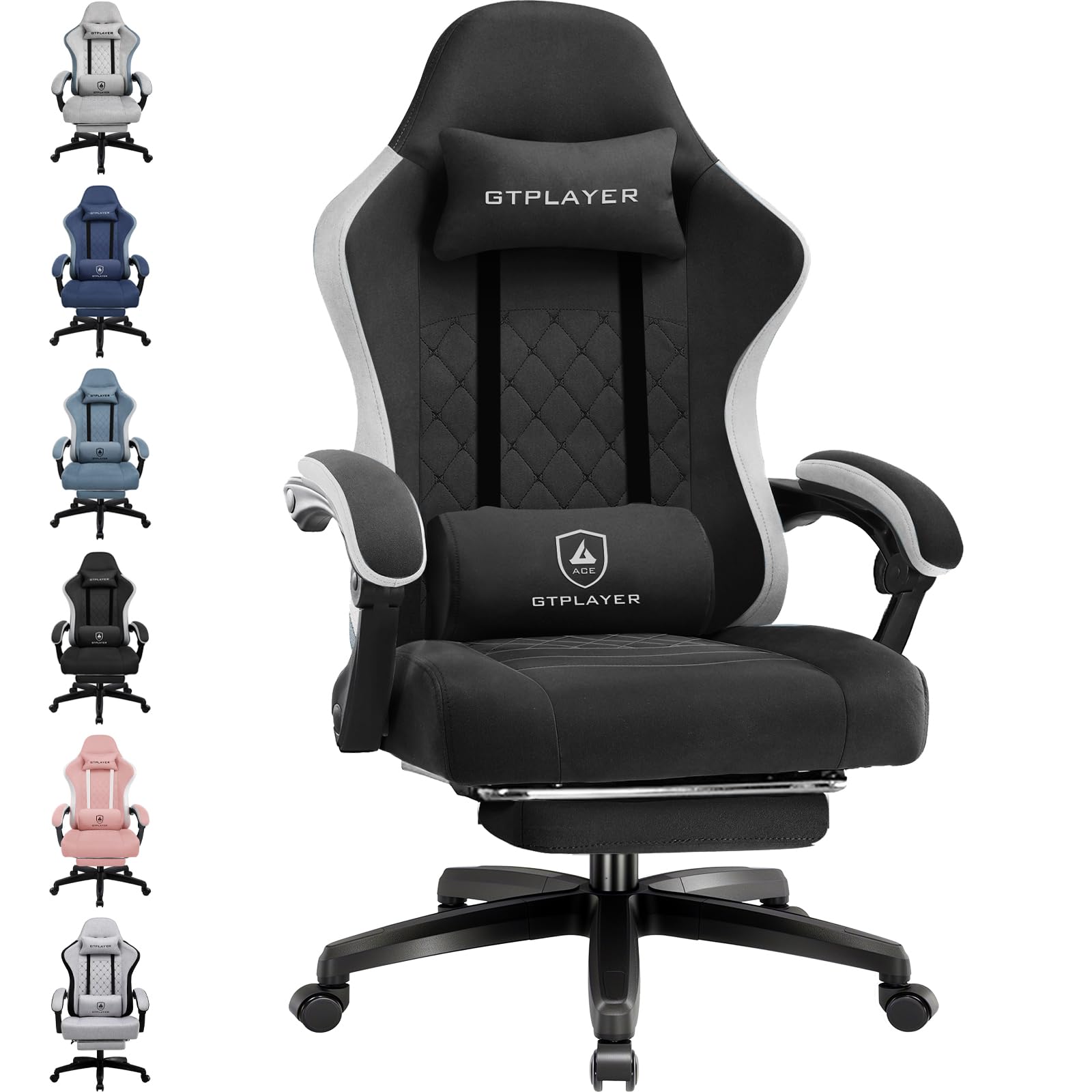
I’ve sat in chairs that feel like a throne and ones that feel like a folding stool; this GTPLAYER lands sensibly between the two. The fabric upholstery breathes better than faux leather during long sessions, and the pocket spring cushion gives proper support without feeling like you’re sitting on a brick. You can tweak the headrest, lumbar and seat height to suit different setups, and the retractable footrest is surprisingly useful for leaning back during streams or actual work on a spreadsheet. It arrives in pieces and takes a bit of time to put together, but the base is solid and the chair handles a range of body types up to the stated limit, so it’s a practical upgrade for someone who spends hours at their desk.
Key Benefits
- Adjustable headrest and lumbar support let me fine‑tune posture for long sessions
- Pocket spring cushion balances comfort and support without flattening quickly
- Retractable footrest adds a proper stretch-out option for breaks or streams
- Robust alloy steel frame and solid base feel durable for daily use
✨ Best Monitor Lighting
I keep one of these permanently clipped to my monitor because good lighting quietly fixes more problems than you realise. It delivers balanced front illumination so you’re not squinting at a bright screen with a dark desk, and the rear glow softens contrast for a less harsh vibe during late sessions. Setup takes a couple of minutes: clip it on, plug in USB‑C and you can tweak colour temperature, brightness or let the motion sensor handle on/off.
It’s handy for streaming or video calls where you want to look less like a creature from a poorly lit cave, and equally useful when editing or reading documents late at night. If someone’s desk is a mess of lamps and shadows, this tidy bar sorts it without taking up space.
Key Benefits
- Even front illumination reduces eye strain during long sessions
- Rear backlight eases contrast and improves on‑screen visibility
- Remote and motion sensor make adjustments simple and fuss‑free
- USB‑C power and secure clamp suit flat and curved monitors
🌈 Best RGB Backlight Bar
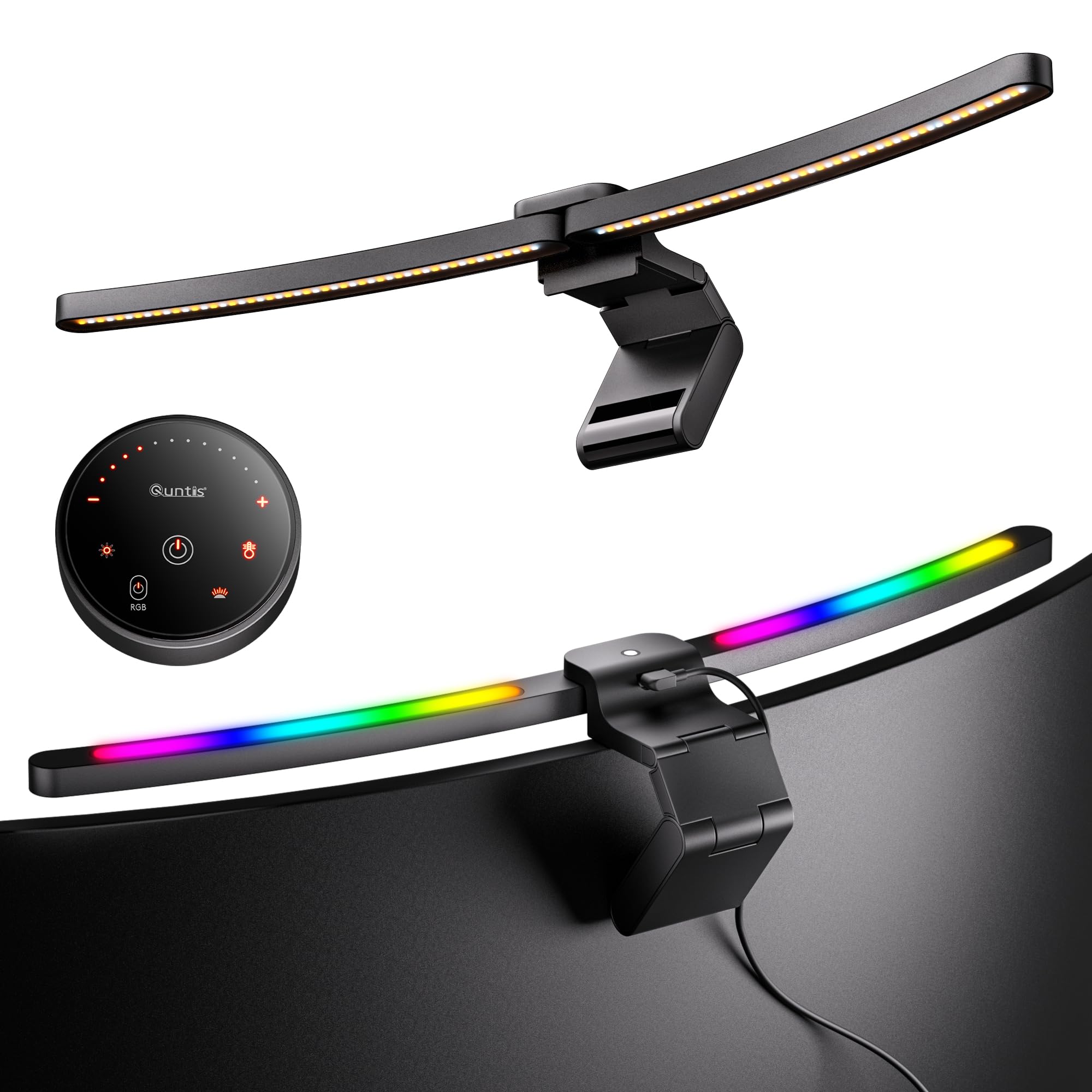
I like this because it dresses a monitor without stealing the show. The curved design sits neatly on wide or curved displays and gives you a useful downlight plus an RGB halo for atmosphere.
It clips up quickly, the remote makes adjustments painless, and the mix of colour temperature and brightness options means it’s equally handy for late-night gaming, streaming or just not looking like a shadowy silhouette on video calls. It’s the sort of upgrade that lifts a setup from functional to intentionally styled without needing a degree in lighting.
Key Benefits
- Curved 66cm bar suits wide and curved monitors for even desk illumination
- RGB backlight adds mood and helps separate screen and room contrast
- Remote control and memory functions let me switch scenes without faff
- Foldable hanging mount and aluminium build make installation straightforward
🚀 Best Room Accent Lighting

I use LED rope lights when I want a room to feel intentionally moody rather than slapped‑together. This Lepro strip is long enough to run around a desk, behind a monitor or along a shelf, and the dotless design gives a smooth, continuous glow instead of the chunky pixels you get with cheaper strips. The app and voice control make changing scenes trivial, and music sync livens up parties or late‑night gaming sessions. It’s robust enough for occasional outdoor use thanks to the IP65 rating, and the included clips keep installation tidy.
If someone cares about atmosphere more than specs, this is the kind of gift that upgrades the whole room without needing a full refit.
Key Benefits
- Dotless RGB output provides a smooth, even glow for cleaner ambience
- App and voice control plus music sync make setting scenes effortless
- IP65 rating means practical use on covered patios as well as bedrooms
- Long 10m length and included clips simplify installation around desks or shelves
🧭 Best Desk-Cover Mouse Mat

I keep one of these under everything because it instantly tidies a chaotic desk and makes mouse movement predictable. The surface is smooth but not slippery, so whether I’m flicking for an FPS flick or slowly nudging a cursor in a photo edit, it behaves the same each time.
It also protects the desk, reduces noise from typing, and gives a consistent look to a setup that otherwise looks like a jumble of peripherals. For LAN nights or streaming the extra surface makes swapping kit painless and it’s easy to roll up and carry if someone wants to borrow it.
Simple, no drama, and oddly satisfying to use every day.
Key Benefits
- Large coverage unifies keyboard and mouse area for neat, consistent control
- Micro‑woven fabric delivers smooth, low‑friction tracking for FPS and precision work
- Rubber base keeps the mat firmly in place even during aggressive swipes
- Thin 2mm profile is comfortable under wrists and easy to roll up for transport
🔊 Best Budget Headset

I reach for this headset when I want solid game audio and a mic that makes me sound like I know what I’m doing in voice chat. It’s light enough to wear for hours without my ears simmering, and the foam cups are surprisingly comfy if you wear glasses.
The detachable mic gives a clear, focused voice for calls or streams, and the inline volume makes quick adjustments painless mid‑match. It’s simple to use across PC and consoles thanks to the 3.5mm plug, so it’s a handy, uncluttered option for someone who wants good performance without faff.
Key Benefits
- Clear, focused voice capture from the detachable HyperClear cardioid mic
- Lightweight build and comfy ear cushions for long gaming sessions
- Inline volume control for quick adjustments without breaking focus
- 3.5mm compatibility keeps it useful across PC, console and handheld
🎨 Best Decorative Table Lamp

I keep a TB1 handy when I want something that looks like a considered choice rather than an afterthought. The three linked rings make for a proper talking point on camera and the app plus voice control means I can change scenes without faffing with a phone.
It behaves as a colourful mood piece for evening streams and parties, yet switches to a usable white light for late‑night editing or reading. Setup took me about the time it takes to brew a tea, and once paired the presets and DIY modes make it easy to sketch a vibe for any occasion.
If someone cares about both form and function, this lamp pulls both off without trying too hard.
Key Benefits
- Distinctive three‑ring design adds character to a desk or background
- App and AI voice control let me change scenes hands‑free
- Music sync and DIY modes create atmospheres for streams or gatherings
- Switches to practical white light for work or reading when needed
💡 Best Corner Floor Lamp

This lamp is brilliant when a room needs ambience but not another clumsy bit of kit on the desk. The V‑shaped base tucks neatly into corners so it doesn’t hog space, and the tall, slim profile throws a pleasing wash of colour up the wall rather than blasting you in the face.
The app and remote make swapping scenes quick, and music sync livens up casual gatherings or late‑night gaming sessions. It’s handy for stream backgrounds, cosy corners, or when you want softer light for watching films. Assembly is straightforward and once it’s in place it quietly does the mood work without demanding attention.
Key Benefits
- Slim corner footprint fits awkward spaces while adding substantial ambience
- 16 million colours and 68+ scene modes for custom vibes without faff
- App, remote and music sync let me change lighting hands‑free
- Adjustable directionality gives either soft wall wash or direct light as needed
FAQ
Will These Upgrades Work With My Setup
I always start by checking the obvious things: ports, desk space and operating system. For example, plug‑and‑play kit usually needs a USB or 3.5mm port and most lights use Wi‑Fi or Bluetooth, so make sure the recipient’s PC or phone supports that.
If you’re sizing a monitor light or a chair, measure the monitor depth and desk clearance and compare to the product specs rather than guessing. For software‑driven items, confirm whether they support Windows, macOS or console platforms so you’re not gifting something that sits in a box.
How Difficult Are These To Install And Use
Most of the items here are designed so I can be up and running before my tea goes cold: clamp‑on lights and mouse mats are immediate, chairs need a bit of assembly and lighting strips or smart lamps require app pairing. Fancy features like macros or custom profiles need a short software setup, but the major brands guide you through it. My tip is to test and pair the device once you open it, so you can hand it over ready to use rather than making the recipient play tech support.
Which Upgrade Actually Makes The Biggest Difference
It depends on what’s annoying the gamer in your life. If they complain about sore shoulders or a spotty posture, a proper chair translates to real‑world comfort and productivity, so I’d pick comfort.
If they’re always fumbling for shortcuts, a workflow controller saves time and frustration. For late‑night sessions, good monitor lighting reduces eye strain more than another RGB strip.
I usually match the upgrade to the problem: comfort for aches, workflow for efficiency, lighting for long nights.
Wrapping Up
If I had to narrow it down, the Stream Deck and the BenQ ScreenBar are the two upgrades that repay themselves fastest in real-world use: one saves keystrokes and faff, the other saves eye strain and makes late-night sessions less horrible. The Corsair keyboard and SteelSeries mat are the ergonomics and performance workhorses, while the GTPLAYER chair is the practical upgrade for anyone still sitting on a dining chair.
The remaining lighting and decorative options are about mood and polish, and they’re worth it if the recipient cares about atmosphere. Buy according to the problem you want to solve and you’ll avoid getting another well‑meaning but useless novelty.
| Product Name | Image | Key Highlights | Special Highlights |
|---|---|---|---|
| Elgato Stream Deck + |
 |
|
|
| Corsair VANGUARD 96 Wired Mechanical Gaming Keyboard |
 |
|
|
| GTPLAYER Fabric Gaming Chair |
 |
|
|
| BenQ ScreenBar Halo 2 Monitor Light Bar |
 |
|
|
| Quntis 66cm Curved Monitor Light Bar |
 |
|
|
This Roundup is reader-supported. When you click through links we may earn a referral commission on qualifying purchases.